Showing posts with label News. Show all posts

Saturday, July 24, 2010

Create Pages in Blogger

Another top user-requested feature has just graduated from Blogger In Draft! Blogger now makes it easy to create Pages linked from your blog. 

This feature lets you easily publish static information on stand-alone pages. For example, you can create an About This Blog page that discusses the evolution of your blog, or a Contact Me page that provides directions, a phone number, and a map to your location.

You create a page similar to how you write a blog post. From Blogger click the Posting | Edit Pages tab, then click New Page. (Note: you can create up to 10 pages.)


Once your page is published, you can link to it from the new Pages widget. The Pages widget lets you add links to your pages as tabs at the top of your blog, or as links in your blog's sidebar.


In the Pages widget, you can decide which pages will be linked and in what order they will appear. You can also choose whether you want new pages to appear automatically in the Pages widget by checking or unchecking the box to the left of Add new Pages by default.

Finally, for those of you that have custom templates, your custom template may not automatically support Pages as horizontal "tabs". If you are familiar with HTML, follow these instructions on how to add Pages to your custom template.

Looking forward to seeing all of the Pages that bloggers create!

Get Related Content for Your Blog with the Zemanta Gadget

About a year ago this blog featured Zemanta, a tool that helps you get more out of blogging. Previously, Blogger users could install a Zemanta browser plugin to recommend content while you blog, enabling you to:

  • Read news to learn more about the topic
  • Link articles to improve the value of your post
  • Use pictures to make your post richer
Today we are pleased to announce that we've teamed up with Blogger to make it easier to use Zemanta on Blogger. To use Zemanta, just follow these three easy steps:

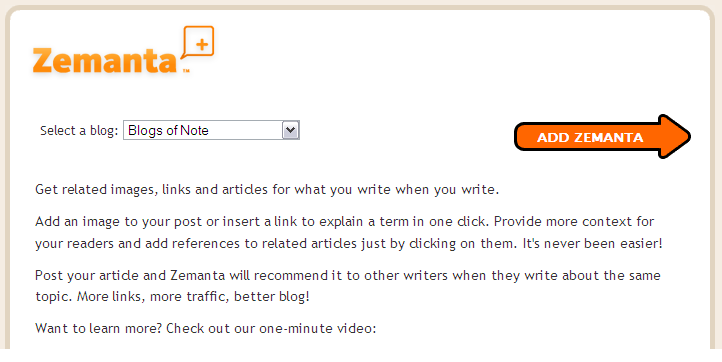
1. Click this link: Add Zemanta gadget. It will take you to a page to add the Zemanta gadget to your blog:


2. Select one of your blogs in the drop-down box, and click Add Zemanta. This will add the gadget to the post editor for your selected blog, and take you to a new post page.

3. You will see Zemanta is already turned on, waiting for you to start using it.


That's it! You are now all set up to boost your blogging. Simply write a couple of sentences and the recommendations will show up automatically. You can preview them and then simply click on an item to add it to the post.

To learn more about how best to use Zemanta, check out this video, browse through our tutorials, read about our selection as one of ReadWriteWeb's "Top 10 Semantic Web products" last year, or just get started and play around with it. We would love to hear your feedback or suggestions.

Happy blogging!

Apple Launches Free iPhone 4 Case Program


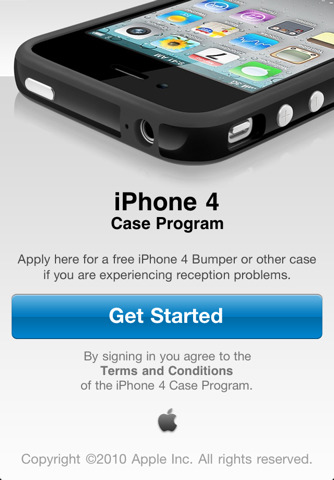
Apple has launched their iPhone 4 case program on their site at http://www.apple.com/iphone/case-program/. The program offers iPhone 4 customers an App Store App that lets them apply for their free iPhone 4 bumper case.

1. Download the iPhone 4 Case Program app from the App Store.

2. Launch the app on your iPhone 4 and sign in using your iTunes Store account or Apple ID.

3. Select your Bumper or case.


For iPhone 4 purchases made before July 23, 2010, you must apply no later than August 22, 2010; otherwise, you must apply within 30 days of your iPhone 4 purchase. To qualify for this program, you must purchase your iPhone 4 by September 30, 2010.


For existing customers who have already purchased an iPhone 4 bumper case, Apple also provides instructions. All credit card customers should already be seeing refunds, while those who paid with Cash, Check or Gift card at retail stores will need to bring their receipt back to the Apple Store.